Loading and Configuring Models
The first step to any rendering application is loading your models. Pyrender implements the GLTF 2.0 specification, which means that all models are composed of a hierarchy of objects.
At the top level, we have a Mesh. The Mesh is
basically a wrapper of any number of Primitive types,
which actually represent geometry that can be drawn to the screen.
Primitives are composed of a variety of parameters, including
vertex positions, vertex normals, color and texture information,
and triangle indices if smooth rendering is desired.
They can implement point clouds, triangular meshes, or lines
depending on how you configure their data and set their
Primitive.mode parameter.
Although you can create primitives yourself if you want to,
it’s probably easier to just use the utility functions provided
in the Mesh class.
Creating Triangular Meshes
Simple Construction
Pyrender allows you to create a Mesh containing a
triangular mesh model directly from a Trimesh object
using the Mesh.from_trimesh() static method.
>>> import trimesh
>>> import pyrender
>>> import numpy as np
>>> tm = trimesh.load('examples/models/fuze.obj')
>>> m = pyrender.Mesh.from_trimesh(tm)
>>> m.primitives
[<pyrender.primitive.Primitive at 0x7fbb0af60e50>]
You can also create a single Mesh from a list of
Trimesh objects:
>>> tms = [trimesh.creation.icosahedron(), trimesh.creation.cylinder()]
>>> m = pyrender.Mesh.from_trimesh(tms)
[<pyrender.primitive.Primitive at 0x7fbb0c2b74d0>,
 <pyrender.primitive.Primitive at 0x7fbb0c2b7550>]
Vertex Smoothing
The Mesh.from_trimesh() method has a few additional optional parameters.
If you want to render the mesh without interpolating face normals, which can
be useful for meshes that are supposed to be angular (e.g. a cube), you
can specify smooth=False.
>>> m = pyrender.Mesh.from_trimesh(tm, smooth=False)
Per-Face or Per-Vertex Coloration
If you have an untextured trimesh, you can color it in with per-face or per-vertex colors:
>>> tm.visual.vertex_colors = np.random.uniform(size=tm.vertices.shape)
>>> tm.visual.face_colors = np.random.uniform(size=tm.faces.shape)
>>> m = pyrender.Mesh.from_trimesh(tm)
Instancing
If you want to render many copies of the same mesh at different poses,
you can statically create a vast array of them in an efficient manner.
Simply specify the poses parameter to be a list of N 4x4 homogenous
transformation matrics that position the meshes relative to their common
base frame:
>>> tfs = np.tile(np.eye(4), (3,1,1))
>>> tfs[1,:3,3] = [0.1, 0.0, 0.0]
>>> tfs[2,:3,3] = [0.2, 0.0, 0.0]
>>> tfs
array([[[1. , 0. , 0. , 0. ],
        [0. , 1. , 0. , 0. ],
        [0. , 0. , 1. , 0. ],
        [0. , 0. , 0. , 1. ]],
       [[1. , 0. , 0. , 0.1],
        [0. , 1. , 0. , 0. ],
        [0. , 0. , 1. , 0. ],
        [0. , 0. , 0. , 1. ]],
       [[1. , 0. , 0. , 0.2],
        [0. , 1. , 0. , 0. ],
        [0. , 0. , 1. , 0. ],
        [0. , 0. , 0. , 1. ]]])
>>> m = pyrender.Mesh.from_trimesh(tm, poses=tfs)
Custom Materials
You can also specify a custom material for any triangular mesh you create
in the material parameter of Mesh.from_trimesh().
The main material supported by Pyrender is the
MetallicRoughnessMaterial.
The metallic-roughness model supports rendering highly-realistic objects across
a wide gamut of materials.
For more information, see the documentation of the
MetallicRoughnessMaterial constructor or look at the Khronos
documentation for more information.
Creating Point Clouds
Point Sprites
Pyrender also allows you to create a Mesh containing a
point cloud directly from numpy.ndarray instances
using the Mesh.from_points() static method.
Simply provide a list of points and optional per-point colors and normals.
>>> pts = tm.vertices.copy()
>>> colors = np.random.uniform(size=pts.shape)
>>> m = pyrender.Mesh.from_points(pts, colors=colors)
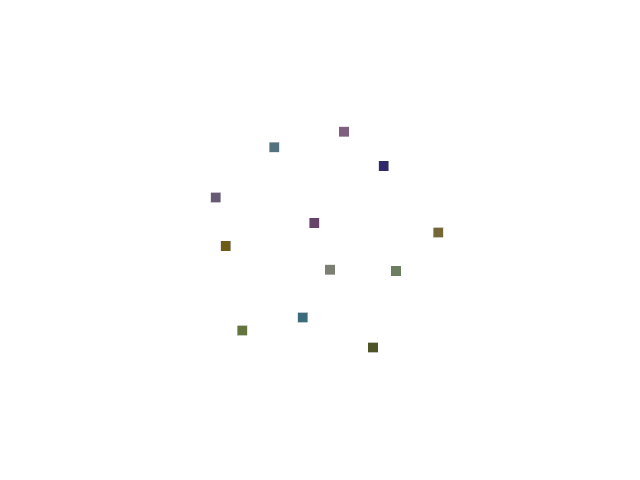
Point clouds created in this way will be rendered as square point sprites.
Point Spheres
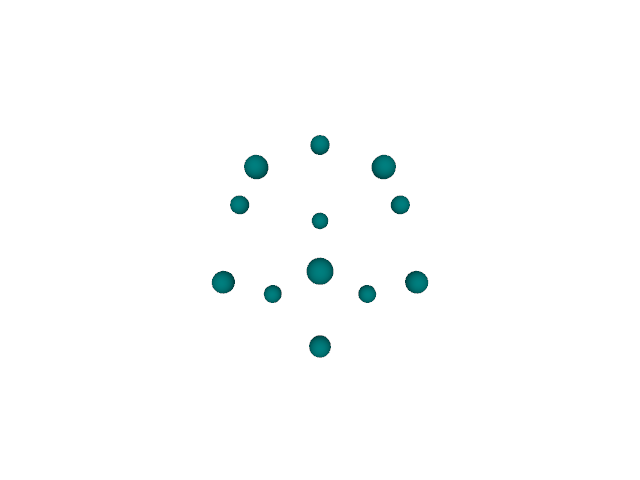
If you have a monochromatic point cloud and would like to render it with spheres, you can render it by instancing a spherical trimesh:
>>> sm = trimesh.creation.uv_sphere(radius=0.1)
>>> sm.visual.vertex_colors = [1.0, 0.0, 0.0]
>>> tfs = np.tile(np.eye(4), (len(pts), 1, 1))
>>> tfs[:,:3,3] = pts
>>> m = pyrender.Mesh.from_trimesh(m, poses=poses)